Education

a nonprofit in Perris, CA and you want to move fast, the real secret isn’t speed—it’s eliminating rework. Most “fast track” attempts fail because founders submit incomplete paperwork, mix up details across documents, or start the IRS track without organizing the basics.

This guide gives you a practical Fast Track Path to get your nonprofit paperwork organized the clean way—so you can submit with confidence and avoid delays caused by corrections.

Start here (full guide): “Non-Profit Startup in California: Documents & Filing Timeline Explained”
Link: The Document Pro | Maintain A Nonprofit

Answer-First: The Perris Fast Track Path (What actually speeds things up)

If you want your nonprofit registration to move faster, focus on the steps that prevent preventable delays:

  • Build a complete document packet before you submit anything (one folder, consistent details).
  • Start with a clean Articles of Incorporation draft that matches your mission and structure.
  • Prepare governance docs early (bylaws + conflict policy) so you don’t scramble later.
  • Secure your EIN and organize your key facts so forms don’t conflict.
  • Treat “same-day” as same-day prep/submission readiness, not same-day approval.
  • Create a “submission-ready” checklist and do a final review for common rejection triggers.

Fast track = clean packet + correct sequence.

Quick Actions Checklist (Do This Today)

  • Create one folder: NONPROFIT – PERRIS CA – FAST TRACK PACKET
  • Lock your exact nonprofit name (same spelling everywhere)
  • Draft or confirm Articles of Incorporation (California nonprofit format)
  • Draft/confirm Bylaws
  • Draft/confirm Conflict of Interest Policy
  • Gather board/officer details (names + roles)
  • Obtain/confirm your EIN
  • Make a one-page Key Facts Sheet (name, mission, contacts, board, planned activities)
  • Decide the likely IRS path: 1023 vs 1023-EZ (prep basics now)
  • Do a final “delay trigger” review before any submission

Step 2: Complete the Initial Statement of Information

The California Initial Statement of Information (Form SI-100) must be filed within 90 days of incorporation. It lists your organization’s addresses, board members, and officers. While this form is not required at the moment of incorporation, having it prepared in advance demonstrates organizational readiness and speeds the post-incorporation workflow. NPLO prepares this form as part of the same-day document package.

Step 3: Confirm Registered Agent Details

California requires every nonprofit corporation to designate a registered agent — an individual or entity with a physical California street address — to receive legal notices and official correspondence. The registered agent’s name and address must appear accurately on the Articles of Incorporation. A P.O. box does not satisfy this requirement. NPLO reviews this designation as part of document preparation to prevent a common and easily avoidable filing rejection.
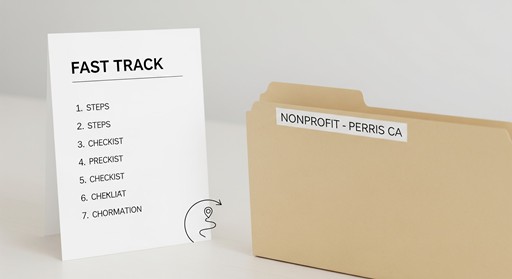
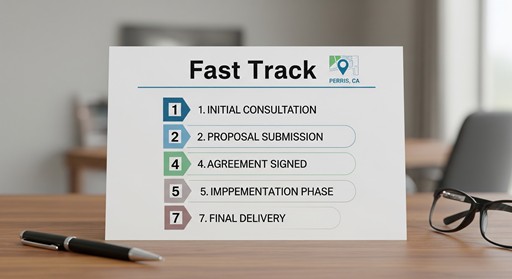
Step-by-Step: The Fast Track Framework (Minimal Delay Path)

Step 1: Use the “One Folder Rule”

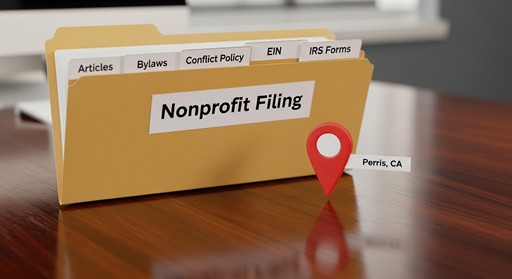
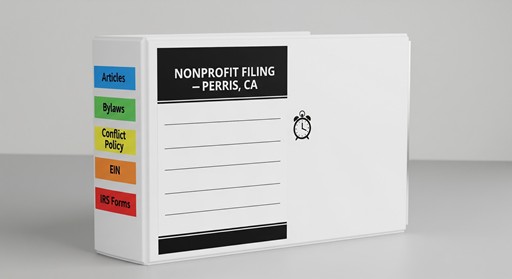
Create a single folder and keep everything inside it—PDFs + editable originals. This alone prevents the most common urgent-filing chaos.

Suggested subfolders:

  • 01 Articles
  • 02 Bylaws
  • 03 Conflict Policy
  • 04 EIN
  • 05 IRS Tax-Exempt Prep
  • 06 Key Facts Sheet

Step 2: Draft Your Articles the “Clean Way”

Your Articles of Incorporation are the keystone. Speed comes from clarity:

  • correct nonprofit structure (California format)
  • consistent name and purpose
  • no missing fields or mismatched info

Step 3: Lock Governance Documents Early (Bylaws + Conflict Policy)

Founders often delay these. That creates rework later—especially if your team is trying to open banking, pursue donations, or prepare for exemption filings.

Step 4: Secure the EIN (and store it properly)

If you already have it, store the confirmation in your folder. If you don’t, don’t wait until “later.” EIN issues create slowdowns that feel avoidable—because they are.

Step 5: Prep the IRS Track Basics (Don’t submit blind)

You don’t need to finish everything immediately, but you should have the basics organized so you’re not restarting later:

  • mission clarity
  • planned activities overview
  • basic budget/operating assumptions (even simple)

Step 6: Do a “Delay Trigger” Review (before submission)

Before any submission, scan for:

  • inconsistent names
  • missing signatures
  • incomplete leadership details
  • unclear purpose statements
  • missing attachments you intended to include

Step 7: Submit with a Clean Packet (and track next steps)

Fast track isn’t just “submit.” It’s “submit cleanly, then track what’s next,” so you don’t lose momentum.

<iframe width=”560″ height=”315″ src=”https://www.youtube.com/embed/hZmikfkQB90?si=_KJF14kZAzWiGR47″ title=”YouTube video player” frameborder=”0″ allow=”accelerometer; autoplay; clipboard-write; encrypted-media; gyroscope; picture-in-picture; web-share” referrerpolicy=”strict-origin-when-cross-origin” allowfullscreen></iframe> PT1M54S

On-page video idea (60–90 seconds):

  • What “fast track” really means (clean packet > rushing)
  • The 7-step framework
  • The top 3 delay triggers
  • What you can do today vs what can wait

Common Mistakes That Slow Down “Fast Track” Filings

  • Thinking speed matters more than completeness
  • Submitting Articles with inconsistent names or purpose details
  • Waiting on bylaws/conflict policy until after submission
  • Not organizing board/officer details early
  • Confusing “same-day prep” with “same-day approval”
  • Starting IRS steps without a clear basic plan
  • Not maintaining a single source of truth (Key Facts Sheet)

When to Get Help (and what to ask)

If you’re confident writing forms, you can DIY. But if you’re under time pressure and you want to reduce rework, it helps to get support focused on:

  • checking your packet for completeness
  • keeping document details consistent
  • guiding you through the correct sequence
  • helping you prepare for next steps after incorporation

What to ask for: “Packet review, submission readiness, and a clean step-by-step plan.”

Local Note (Perris / Inland Empire)

Perris founders often move fast because timelines are real—events, launches, community programs, and funding deadlines don’t wait. A “fast track” approach helps because it’s built around being ready, not just being urgent.

Frequently Asked Questions

What does “fast track nonprofit registration” actually mean in Perris, CA?

It means reducing delays by submitting a clean, complete packet in the right sequence. The goal is fewer corrections, fewer missing items, and a smoother path from incorporation to next steps.

Can I get my nonprofit approved the same day in California?

“Same-day” usually applies to document preparation and submission readiness—not guaranteed approval. Government processing timelines can vary, so the fastest lever you control is packet quality.

What documents should I prepare first to move faster?

Start with Articles of Incorporation, then bylaws and a conflict policy, then EIN organization. Keep everything consistent with a Key Facts Sheet to avoid mismatches across forms.

Do I need IRS tax-exempt status before I file at the state level?

Typically, incorporation happens first, then the federal exemption pathway. Even so, prepping your IRS basics early prevents rework and loss of momentum.

What’s the biggest reason fast filings get delayed?

Incomplete packets and inconsistent information. “Fast” submissions that require corrections often take longer than careful submissions done once.

Does after-hours support mean my filing is processed after hours?

No. After-hours support refers to intake, guidance, and document preparation coverage. Government processing is controlled by the appropriate agencies and can vary.

Additional Resources

Authoritative External Sources

Sources & References

  • California Secretary of State — Official guidelines on nonprofit filing requirements, fee schedules, and processing options.
  • IRS Exempt Organizations Division — Federal standards for 501(c)(3) tax-exempt applications, Forms 1023 and 1023-EZ, and determination procedures.
  • California Attorney General's Office — Charitable organization regulations, Conflict of Interest Policy requirements, and Registry of Charitable Trusts oversight.
  • National Council of Nonprofits — Compliance checklists and nonprofit governance best practices.
  • Better Business Bureau — General business reliability verification resource; not cited as a source for NPLO-specific ratings.
  • Nonprofit Quarterly — Industry benchmarks for nonprofit formation service standards and governance practices.

Contact

Book: https://thedocumentpro.com/

Call: 1(800) 285-0078

Email: mydocumentpro@gmail.com


The Nonprofit Launch Office™ — a discipline of The Document Pro, operated by Gitta Williams.

Operated by The Document Pro (Gitta Williams)

When you need your non-profit documents prepared and ready for same-day submission in Perris, CA, the difference between success and rejection often comes down to one thing: document accuracy. This checklist walks you through exactly what needs to be in order before you pay for expedited state processing — and what “same-day” realistically means for each stage of the formation process.

This guide provides informational content only and does not constitute legal or tax advice. California SOS fees cited reflect publicly available state fee schedules and may change; verify current fees at sos.ca.gov before filing. IRS processing timelines are approximate and subject to change. Consult a licensed attorney or CPA for guidance specific to your situation.

Answer-First Summary

What same-day document preparation provides:

  • Articles of Incorporation preparation — with required California nonprofit purpose clauses and IRS-mandated dissolution language, the most common cause of rejection.
  • Initial Statement of Information (Form SI-100) — prepared and ready for filing within 90 days of incorporation.
  • Registered agent designation review — California requires a physical CA address; NPLO verifies this is correctly documented.
  • Bylaws and Conflict of Interest Policy preparation — required for IRS Form 1023/1023-EZ and good governance.
  • Submission-readiness on the same day — NPLO organizes your documents for immediate submission once engaged.
  • After-hours AI assistant support — available for intake, guidance, and document prep questions outside business hours.


What same-day does NOT mean:

  • Guaranteed same-day approval by the California Secretary of State — SOS controls processing on its own schedule.
  • Faster IRS 501(c)(3) determination — IRS processing typically takes 3 to 6 months or longer regardless of CA filing speed.
  • Skipping required documents or provisions — all documents must be complete and compliant before submission.
  • Refundable expedited fees — CA SOS expedited fees are non-refundable even if documents are rejected.


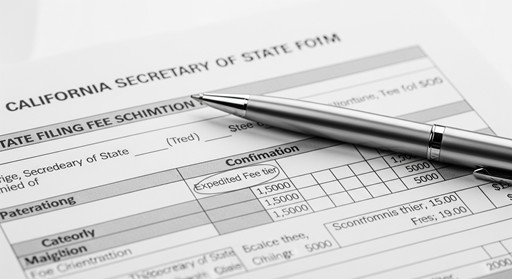
California SOS expedited processing tiers (state fees only, separate from preparation fees):

  • Standard: $30 — typically 5 to 7 business days
  • 24-hour expedited: $380 total ($30 base + $350 expedited)
  • Same-day expedited: $530 total ($30 base + $500 expedited) — in-person submission at Sacramento office required; business hours only

Note: These are California Secretary of State government fees, not NPLO preparation fees. Fees are subject to change; verify current rates at sos.ca.gov.


Quick Actions Checklist — Same-Day Submission Readiness

  • Gather your Articles of Incorporation template — ensure it includes California nonprofit purpose language and IRS dissolution provisions.
  • Prepare your Initial Statement of Information — Form SI-100, required within 90 days of incorporation.
  • Secure your registered agent’s name and California address — must be a physical CA street address, not a P.O. box.
  • Draft Bylaws and Conflict of Interest Policy — required for IRS tax-exempt applications and organizational governance.
  • Verify California SOS expedited processing options — confirm current fees and in-person vs. online submission requirements at sos.ca.gov.
  • Confirm your organization name is available — check availability through the CA SOS business search before filing.
  • Pay all state filing fees at submission — incomplete fee payment delays processing.
  • Save your SOS filing confirmation number — needed to track status online.
  • Keep copies of all submitted documents — required for IRS application, banking, and ongoing compliance.


Step-by-Step Guide: Same-Day Submission Readiness

Step 1: Prepare Your Articles of Incorporation

Articles of Incorporation are the foundational document that legally creates your nonprofit in California. They must include: your organization name with a corporate designator (corporation, incorporated, corp., or inc.); a nonprofit purpose statement that satisfies IRS 501(c)(3) requirements; your registered agent’s name and California street address; your initial corporate address; and IRS-required dissolution provisions specifying that assets go to another 501(c)(3) upon dissolution. Missing or improper dissolution language is the leading cause of IRS rejection — accounting for an estimated 40% or more of rejections on this document type. NPLO ensures these provisions are correctly drafted before submission.

Step 2: Complete the Initial Statement of Information

The California Initial Statement of Information (Form SI-100) must be filed within 90 days of incorporation. It lists your organization’s addresses, board members, and officers. While this form is not required at the moment of incorporation, having it prepared in advance demonstrates organizational readiness and speeds the post-incorporation workflow. NPLO prepares this form as part of the same-day document package.

Step 3: Confirm Registered Agent Details

California requires every nonprofit corporation to designate a registered agent — an individual or entity with a physical California street address — to receive legal notices and official correspondence. The registered agent’s name and address must appear accurately on the Articles of Incorporation. A P.O. box does not satisfy this requirement. NPLO reviews this designation as part of document preparation to prevent a common and easily avoidable filing rejection.

Step 4: Choose Your California SOS Filing Speed

Once your documents are complete and accurate, select your submission method and processing speed. California SOS options currently include standard processing ($30, 5–7 business days), 24-hour expedited ($380 total), and same-day expedited ($530 total, in-person Sacramento office only during business hours). The online portal (bizfileonline.sos.ca.gov) is fastest for submission from Perris. Mail adds 3 to 5 days each direction and is not recommended for emergency filings. In-person at Sacramento is approximately 100 miles from Perris — factor in travel time for same-day submissions. Confirm current fees and submission requirements at sos.ca.gov before filing, as fees are subject to change.

Step 5: Submit Documents, Save Confirmation, and Plan Next Steps

Submit your completed documents with full fee payment. Save your SOS confirmation number immediately — it is required for tracking. After California approves your incorporation, obtain your Employer Identification Number (EIN) via IRS.gov at no cost during business hours. Then begin your IRS tax-exempt application: Form 1023-EZ ($275, for eligible organizations) or Form 1023 ($600). IRS processing typically takes 3 to 6 months or longer and cannot be expedited through California filing. File for tax-exempt status within 27 months of incorporation to preserve eligibility for retroactive exemption recognition.


Book: https://thedocumentpro.com/

Call: 1(800) 285-0078

Email: mydocumentpro@gmail.com


Common Mistakes and Delay Triggers

  • Paying for same-day expedited processing before documents are verified — a rejected filing means paying the expedited fee again.
  • Missing or improper IRS dissolution language in the Articles of Incorporation — the leading cause of rejection on this document.
  • Using generic online templates that do not include California-specific or IRS-required provisions.
  • Not verifying your organization name’s availability with CA SOS before filing — a duplicate or rejected name requires refiling.
  • Designating a registered agent without a valid California physical street address — P.O. boxes are not accepted.
  • Submitting for same-day processing after business hours — CA SOS same-day processing applies only to submissions received during business hours.
  • Assuming same-day state filing means faster IRS approval — IRS processing is entirely separate and cannot be expedited through state filing.
  • Not saving the SOS filing confirmation number — tracking and follow-up require it.


Why The Nonprofit Launch Office™ (NPLO) for Same-Day Preparation

When you’re moving fast, document accuracy matters most. A rejected same-day filing costs you the non-refundable expedited fee and adds one to two weeks of delay — the opposite of the speed you paid for. NPLO’s document preparation process focuses on getting the Articles of Incorporation, Bylaws, Conflict of Interest Policy, and supporting documents right before submission, so your expedited fee investment is protected.

NPLO does not control government processing times and does not practice law. What it provides is focused preparation expertise, organized documents, and after-hours AI assistant support for intake and guidance when questions arise outside business hours.

What NPLO provides for same-day preparation:

  • Articles of Incorporation with required California nonprofit clauses and IRS dissolution provisions
  • Bylaws and Conflict of Interest Policy preparation
  • Initial Statement of Information (Form SI-100) preparation
  • Registered agent designation review
  • IRS Form 1023 or 1023-EZ package preparation
  • After-hours AI assistant for intake and document guidance

Service area:

  • Perris, CA
  • Moreno Valley
  • Riverside County
  • All of California

Frequently Asked Questions

What documents are required for same-day non-profit filing in Perris, CA?

Core documents include Articles of Incorporation (with required California nonprofit purpose and IRS dissolution clauses), Initial Statement of Information (Form SI-100), and designation of a registered agent with a California physical address. IRS Form 1023 or 1023-EZ is filed separately for federal tax-exempt status.

What does same-day mean for nonprofit filing in Perris?

Same-day refers to document preparation and submission readiness on the same day you engage with a preparation service. California SOS same-day expedited processing ($530 total) may process Articles of Incorporation the same business day if submitted in person at the Sacramento office during business hours. The SOS — not any preparation service — controls actual processing speed.

Can I file nonprofit paperwork online for same-day processing?

Some documents can be submitted online through bizfileonline.sos.ca.gov with expedited options. However, guaranteed same-day processing may require in-person submission at the Sacramento office. Confirm current submission requirements directly with CA SOS, as procedures may change.

What are the fees for expedited nonprofit filing in California?

California SOS fees: standard $30 (5–7 business days), 24-hour expedited $380 total ($30 + $350), same-day expedited $530 total ($30 + $500). These are government fees separate from any document preparation fees. Expedited fees are non-refundable. Verify current fees at sos.ca.gov before filing.

Does same-day state filing speed up IRS tax-exempt approval?

No. IRS 501(c)(3) processing typically takes 3 to 6 months or longer and cannot be expedited through California state filing. Expedited state filing affects only the California incorporation step.

Do I need a registered agent to file nonprofit documents in California?

Yes. California law requires all nonprofit corporations to designate a registered agent with a physical California address to receive legal notices and official correspondence. This information must appear correctly in your Articles of Incorporation.

Additional Resources

Authoritative External Sources

Sources & References

  • California Secretary of State — Official guidelines on nonprofit filing requirements, fee schedules, and processing options.
  • IRS Exempt Organizations Division — Federal standards for 501(c)(3) tax-exempt applications, Forms 1023 and 1023-EZ, and determination procedures.
  • California Attorney General's Office — Charitable organization regulations, Conflict of Interest Policy requirements, and Registry of Charitable Trusts oversight.
  • National Council of Nonprofits — Compliance checklists and nonprofit governance best practices.
  • Better Business Bureau — General business reliability verification resource; not cited as a source for NPLO-specific ratings.
  • Nonprofit Quarterly — Industry benchmarks for nonprofit formation service standards and governance practices.

Contact

Book: https://thedocumentpro.com/

Call: 1(800) 285-0078

Email: mydocumentpro@gmail.com


The Nonprofit Launch Office™ — a discipline of The Document Pro, operated by Gitta Williams.

Operated by The Document Pro (Gitta Williams)
The Document Pro — through its Nonprofit Launch Office™ division (NPLO) — serves founders in Perris, CA and across the Inland Empire who need organized, accurate non-profit formation documents. This page explains what NPLO does, what clients can realistically expect, and how to evaluate whether this service is right for your situation.

This guide provides informational content only and does not constitute legal or tax advice. Filing timelines reflect typical government processing ranges and are not guarantees. Consult a licensed attorney or CPA for guidance specific to your situation.

Answer-First Summary

What NPLO provides:

  • Document preparation — Articles of Incorporation, Bylaws, Conflict of Interest Policy, IRS Form 1023 or 1023-EZ packages, Statement of Information (SI-100).
  • Guided support — clear communication and organized preparation through each stage of the formation process.
  • After-hours AI assistant — available for intake, preparation questions, and guidance outside standard business hours.
  • Honest timeline expectations — CA SOS standard processing typically 2–4 weeks; IRS 501(c)(3) determination typically 3–6 months or longer.
  • California-wide service area — Perris, Moreno Valley, Riverside, Riverside County, and all of California.


What NPLO does not provide:

  • Legal representation or legal advice
  • Guaranteed government processing times — those are set by CA SOS and the IRS
  • Same-day government approval — no preparation service controls agency timelines
  • Licensing opinions or tax determinations


Quick Actions Checklist

  • Review what NPLO prepares and understand preparation vs. legal representation.
  • Confirm your service area — Perris, Moreno Valley, Riverside, Inland Empire, all California.
  • Learn which documents apply — Articles of Incorporation, Bylaws, Conflict of Interest Policy, IRS Form 1023/1023-EZ, Statement of Information.
  • Understand realistic government timelines — CA SOS typically 2–4 weeks; IRS 501(c)(3) typically 3–6 months or longer.
  • Explore after-hours AI assistant support for intake and document prep questions outside business hours.
  • Compare document preparation with DIY — know what each option realistically involves.
  • Contact NPLO for a personalized consultation on your non-profit’s goals and document needs.
  • Review the formation process overview before your first appointment to arrive prepared.
  • Plan for ongoing compliance — annual state filings and IRS reports are required after formation.


Step-by-Step Guide: How to Evaluate NPLO as Your Filing Partner

Step 1: Review What Clients Typically Experience

Founders working with NPLO commonly describe clear explanations of the formation process, organized document preparation, and consistent follow-through. When evaluating any filing service, the most important question is transparency: what exactly does the service prepare, and what does it not handle? NPLO focuses on document preparation and guided support — not legal representation. That distinction matters for both compliance and expectations.

Step 2: Understand What Documents NPLO Prepares

NPLO can assist with preparing the core California non-profit formation documents. These may include:

  • Articles of Incorporation — filed with the California Secretary of State
  • Organizational Bylaws — governing your organization’s operations
  • Conflict of Interest Policy — required by the IRS for tax-exempt applications
  • IRS Form 1023 or 1023-EZ package — federal 501(c)(3) tax-exempt application preparation
  • California Statement of Information (Form SI-100) — due within 90 days of incorporation


Note: Preparation of documents is distinct from legal review, legal advice, or guaranteed government approval.

Step 3: Confirm Service Area and After-Hours Accessibility

NPLO serves all of California, with particular expertise in Perris, Moreno Valley, Riverside, and surrounding Inland Empire communities. After-hours support is available via AI assistant for intake, preparation questions, and general guidance — helping founders get organized outside of standard business hours when questions arise.

Step 4: Understand Realistic Filing Timelines

California Secretary of State processing times for Articles of Incorporation typically range from 2 to 4 weeks for standard filings. Expedited options are available at additional state cost — same-day state processing is possible, but it speeds only the state incorporation step. IRS determination for federal 501(c)(3) tax-exempt status may take 3 to 6 months or longer, depending on application completeness and current IRS workload. These are government-controlled timelines that no filing service can guarantee.

Step 5: Contact NPLO and Begin

Once you understand the process and what to expect, reach out directly. You can book a consultation, call, or email to discuss your non-profit’s mission, confirm which documents apply to your situation, and get your formation underway.


Book: https://thedocumentpro.com/

Call: 1(800) 285-0078

Email: mydocumentpro@gmail.com


Common Mistakes and Delay Triggers

  • Assuming a filing service controls how fast the government processes your application — it does not.
  • Confusing document preparation with legal advice, legal review, or attorney representation.
  • Not having a clear non-profit purpose statement ready — this directly affects Articles of Incorporation quality and IRS review speed.
  • Submitting Articles of Incorporation without proper purpose and dissolution clauses required under California law. Dissolution language is a leading cause of IRS rejection.
  • Failing to designate a registered agent with a valid California physical address before filing.
  • Waiting to apply for an EIN until after incorporation — it can be obtained via IRS.gov early and speeds subsequent steps.
  • Not completing a Conflict of Interest Policy before submitting the IRS Form 1023 or 1023-EZ — a frequent cause of IRS delay.
  • Expecting same-day government approval — CA SOS and the IRS process on their own schedules regardless of submission speed.


Why The Nonprofit Launch Office™ (NPLO)

NPLO is a discipline of The Document Pro, operated by Gitta Williams, built specifically to help California founders navigate the non-profit formation document process. The focus is on what preparation services can genuinely deliver: organized, accurate, submission-ready documents with clear communication at every stage.

NPLO does not practice law and does not guarantee government processing times — because no preparation service can. What it offers is focused expertise in the documents California founders need, combined with after-hours AI assistant availability for intake and guidance when questions arise outside business hours.

What NPLO provides:

  • Articles of Incorporation preparation with required California and IRS provisions
  • Bylaws and Conflict of Interest Policy customization
  • IRS Form 1023 or 1023-EZ package preparation
  • Filing coordination guidance with the California Secretary of State
  • After-hours AI assistant for preparation questions and intake

Service area:

  • Perris, CA
  • Moreno Valley
  • Riverside County
  • All of California

Frequently Asked Questions

How can I evaluate whether NPLO is the right service for my non-profit?

Look for transparency about what they prepare and what they do not handle. NPLO focuses on document preparation and guided support — not legal representation. Ask what specific documents are included, what timelines are realistic, and how communication works throughout the process.

What documents does NPLO prepare for California non-profit formation?

NPLO can assist with Articles of Incorporation, Bylaws, Conflict of Interest Policy, IRS Form 1023 or 1023-EZ package preparation, and the California Statement of Information (Form SI-100). The exact documents needed depend on your organization's structure and goals.

How long does the California non-profit filing process take?

California Secretary of State processing for Articles of Incorporation typically ranges from 2 to 4 weeks for standard filings. IRS 501(c)(3) determination may take 3 to 6 months or longer, depending on application completeness and IRS workload. These are government timelines — no preparation service controls them.

Is NPLO available after regular business hours?

Yes. After-hours support is available via AI assistant for intake, document guidance, and preparation questions — making it easier for founders to get organized and get answers outside of standard business hours.

Does NPLO handle the actual government filing on my behalf?

NPLO prepares your documents for submission and provides coordination guidance. Government agencies — the California Secretary of State and the IRS — process filings on their own schedules. NPLO's role is preparation and submission readiness, not legal filing services.

What service area does The Document Pro cover?

NPLO serves all of California, with focused expertise in Perris, Moreno Valley, Riverside, and the broader Inland Empire region of Riverside County.

Additional Resources

Authoritative External Sources

Sources & References

  • California Secretary of State — Official guidelines on nonprofit filing requirements, fee schedules, and processing options.
  • IRS Exempt Organizations Division — Federal standards for 501(c)(3) tax-exempt applications, Forms 1023 and 1023-EZ, and determination procedures.
  • California Attorney General's Office — Charitable organization regulations, Conflict of Interest Policy requirements, and Registry of Charitable Trusts oversight.
  • National Council of Nonprofits — Compliance checklists and nonprofit governance best practices.
  • Better Business Bureau — General business reliability verification resource; not cited as a source for NPLO-specific ratings.
  • Nonprofit Quarterly — Industry benchmarks for nonprofit formation service standards and governance practices.

Contact

Book: https://thedocumentpro.com/

Call: 1(800) 285-0078

Email: mydocumentpro@gmail.com


The Nonprofit Launch Office™ — a discipline of The Document Pro, operated by Gitta Williams.

Operated by The Document Pro (Gitta Williams)
If you’re trying to file nonprofit paperwork in Perris, CA under time pressure, the fastest way to prevent delays is to build an “emergency-ready” document stack before you submit anything. Most urgent filing problems aren’t caused by speed—they’re caused by missing documents, inconsistent details, or unclear next steps.

Below is a practical, step-by-step checklist you can use to get your nonprofit packet organized fast—so your filing is clean, complete, and far less likely to be rejected.

Start here (full guide): “Non-Profit Startup in California: Documents & Filing Timeline Explained”
Link: The Document Pro | Maintain A Nonprofit

Answer-First: The Emergency Document Stack (What You Need Ready)

If you want to move quickly, your goal is to have one complete packet (PDFs + editable originals) that includes:

  • Articles of Incorporation (California nonprofit format)
  • Bylaws (how your organization will operate and make decisions)
  • Conflict of Interest Policy (governance best practice and commonly expected)
  • Board / leadership details (directors, officers, incorporator info, registered agent info if applicable)
  • EIN (Employer Identification Number—your nonprofit’s federal ID)
  • IRS path prep (knowing whether you’re likely using Form 1023 or 1023-EZ)
  • Support attachments (purpose/mission statement, basic operating plan, any required add-ons for your filing path)

Fast-path reality: “Emergency filing” works when the packet is complete. Expedite options won’t save a filing that needs corrections.

Quick Actions Checklist (Do This in Order)

  • Put everything into one “Nonprofit Filing” folder (Google Drive / Dropbox / desktop)
  • Confirm your nonprofit name is consistent across all docs (same spelling, same punctuation)
  • Finalize Articles of Incorporation (correct entity type + purpose language aligned with your intent)
  • Draft/confirm your Bylaws
  • Draft/confirm your Conflict of Interest Policy
  • Gather names + roles for your board/officers (even if interim)
  • Obtain your EIN (or verify you already have it)
  • Decide your IRS route: 1023 vs 1023-EZ (don’t submit blindly)
  • Create a one-page “Key Facts” sheet (name, city, mission, board names, email/phone)

Keep both PDF versions and editable versions of your docs (Word/Google Docs)

Step-by-Step Guide to Emergency Documents (Minimal Delay Path)

Step 1: Build the “One Folder Rule”

If your documents are scattered across emails, texts, and half-finished drafts, urgency turns into chaos. Create one folder and name it:

NONPROFIT – PERRIS CA – START PACKET

Inside it, create these subfolders:

  • 01 Articles
  • 02 Bylaws
  • 03 Conflict Policy
  • 04 EIN
  • 05 IRS Tax-Exempt (1023/1023-EZ Prep)
  • 06 Notes / Key Facts

Step 2: Confirm Articles of Incorporation Details First

Articles are the keystone. In urgent scenarios, most delays come from:

  • wrong entity type language
  • inconsistent nonprofit name
  • missing required fields or signatures
  • purpose statements that don’t match the organization’s plan

Your goal is not “fast.” Your goal is correct the first time.

Step 3: Lock Your Governance Documents (Bylaws + Conflict Policy)

Bylaws and conflict policy are where organizations often “leave it for later.” But urgency punishes that approach.

If you want to be filing-ready (and donation-ready later), set these up now:

  • how board votes happen
  • who can authorize spending
  • conflict disclosure rules
  • officer roles and terms

Step 4: Secure the EIN (and Store It Correctly)

Your EIN is used for:

  • banking
  • tax filings
  • IRS exemption steps
  • many operational tasks

If you already have it, put the EIN confirmation letter in your folder. If you don’t, make it part of the emergency packet.

Step 5: Prepare the IRS Track Before You Hit “Submit”

Many founders assume the state filing is the whole journey. It’s the start.

At minimum, emergency readiness means:

  • you know whether you’re likely filing 1023 or 1023-EZ
  • you have the basics documented (mission, activities, basic budget/plan)

Step 6: Create a “Key Facts” Sheet (Stops Rework)

This is the fastest “quality hack” you can do. Make a one-page sheet with:

  • exact nonprofit name
  • city/service area (Perris/Riverside County/Inland Empire as applicable)
  • mission statement (2–3 lines)
  • board/officer names + roles
  • email + phone
  • short list of planned activities

When details stay consistent, filings go smoother.

On-page video idea (60–90 seconds):

  • What “emergency filing” really means (prep vs processing)
  • The 7 documents that prevent delays
  • The 3 most common missing items
  • What to do today vs what can wait until after incorporation

Common Mistakes That Cause Delays (Even When You’re “Urgent”)

  • Submitting Articles with inconsistent names across documents
  • Missing key governance docs (bylaws/conflict policy) until the last minute
  • Not having board/officer details ready
  • Confusing “same-day preparation” with “same-day approval”
  • Using a generic purpose statement that doesn’t match your nonprofit’s real plan
  • Losing track of the EIN confirmation and redoing work
  • Starting the IRS exemption process without organizing basics first

Why Use The Nonprofit Launch Office™ (NPLO)

When you’re in a rush, the real risk is rework—not effort. NPLO (a discipline of The Document Pro, operated by Gitta Williams) helps founders across California—especially Moreno Valley and Inland Empire cities—organize a clean filing packet so you can move forward with fewer delays.

After-hours coverage is available via AI assistant support for intake, guidance, and document preparation (not after-hours state/IRS processing).

Frequently Asked Questions

1) What are the most important emergency documents for nonprofit filing in Perris, CA?

Start with Articles of Incorporation, bylaws, a conflict of interest policy, board/officer details, and your EIN. If you’re pursuing tax-exempt status, you’ll also want to prep the IRS exemption pathway (1023 or 1023-EZ) so you’re not restarting later.

2) Can I file a nonprofit “same day” in California?

You can often get same-day document preparation if your information is ready and your packet is complete. Processing and approval timelines depend on government processing and can vary, so focus on “submission-ready” first.

3) Do I need bylaws before I file Articles of Incorporation?

Not always for the state filing itself, but bylaws are foundational for operating correctly and are commonly expected for good governance. Having them early reduces delays when you move into banking, fundraising, and IRS exemption steps.

4) What if I’m missing one document—should I file anyway?

Usually, missing items create rework. If your goal is speed, the fastest path is often completing the packet first so you avoid rejection or correction cycles.

5) Does after-hours support mean my filing is processed after hours?

No. After-hours support refers to intake, guidance, and document preparation help. Government processing timelines are controlled by the appropriate agencies and vary.

6) What’s the fastest way to avoid mistakes when I’m rushing?

Use a single folder, keep details consistent across every document, and create a one-page Key Facts sheet. Most “urgent filing” delays come from avoidable inconsistencies.

Additional Resources

Authoritative External Sources

Sources & References

  • California Secretary of State — Official guidelines on nonprofit filing requirements, fee schedules, and processing options.
  • IRS Exempt Organizations Division — Federal standards for 501(c)(3) tax-exempt applications, Forms 1023 and 1023-EZ, and determination procedures.
  • California Attorney General's Office — Charitable organization regulations, Conflict of Interest Policy requirements, and Registry of Charitable Trusts oversight.
  • National Council of Nonprofits — Compliance checklists and nonprofit governance best practices.
  • Better Business Bureau — General business reliability verification resource; not cited as a source for NPLO-specific ratings.
  • Nonprofit Quarterly — Industry benchmarks for nonprofit formation service standards and governance practices.

Contact

Book: https://thedocumentpro.com/

Call: 1(800) 285-0078

Email: mydocumentpro@gmail.com


The Nonprofit Launch Office™ — a discipline of The Document Pro, operated by Gitta Williams.

Operated by The Document Pro (Gitta Williams)